Gameboy Advance, Modding
2,000 Reasons Why I Hardwire Every Game Boy Advance IPS Screen
Mar
Why Hardwiring Game Boy Advance IPS Screens Is the More Reliable Choice
Table of Contents
The Game Boy Advance was originally designed around a reflective LCD display rather than a modern IPS backlit screen.
Modern Game Boy Advance mods are incredible.
Bright IPS screens.
Rechargeable batteries.
Custom shells and buttons.
Upgrades like these can turn a 20-year-old handheld into something that feels brand new.
But there’s one installation detail most buyers never think to ask about — and it can make a big difference in long-term reliability.
That detail is how the screen controls are installed.
Specifically:
Are the screen controls hardwired, or are they relying entirely on touch sensors?
After modding more than 2,000 Game Boys, I’ve seen firsthand why this distinction matters.
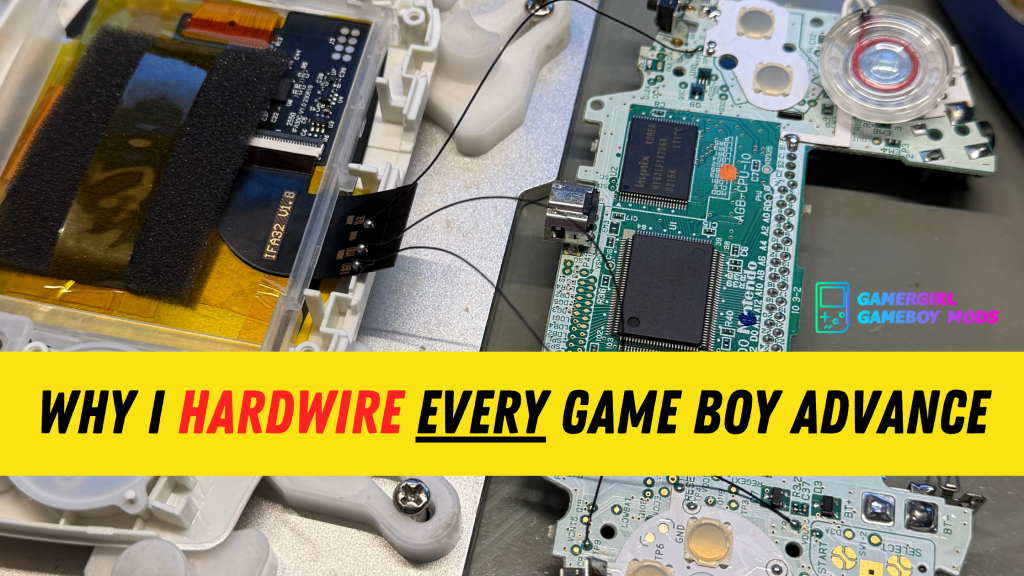
Every IPS Screen Kit Supports Hardwired Controls
Here’s something most people don’t realize.☝🏼
Virtually every modern IPS screen kit for the Game Boy Advance supports hardwired controls.
These controls allow you to access features like:
• brightness adjustments
• pixel grid filters
• color modes
• on-screen display menus
When these controls are hardwired, you access them through button combinations on the Game Boy itself.
For example, holding certain buttons might adjust brightness or open the display menu.
It’s clean and reliable. And it uses the hardware that’s already built into the console.
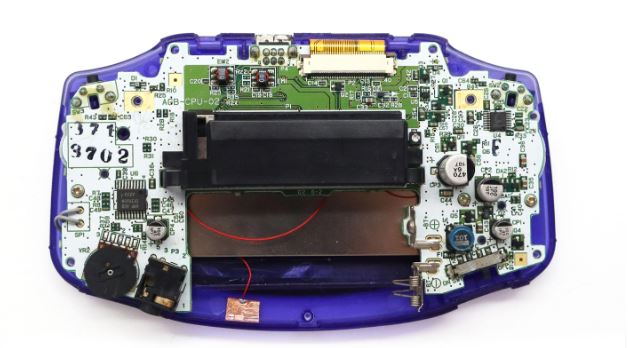
If you’re curious about the internal layout of the Game Boy Advance motherboard, teardown guides like those published by iFixit show just how compact the system’s internal components are.
Why Some Modders Use Touch Sensors Instead
Despite this, many modders skip hardwiring entirely.
Instead, they rely on touch sensors included with the screen kit.
These sensors are usually placed inside the shell and secured with a small piece of double-sided adhesive.
To access the screen settings, you tap a certain area of the console.
At first, this sounds convenient.
But in practice, it introduces a reliability issue that many buyers never realize until later.
The Problem With Touch Sensors
The Game Boy Advance is a portable console.
That means, it’s meant to go places with you.
It might sit in a backpack. A purse. Or your carrying case.
Even if you take good care of it, portable electronics experience normal bumps and movement over time.
Touch sensors are typically installed with nothing more than adhesive tape.
And if that adhesive loosens or the sensor shifts position, a few things can happen.
You might experience:
• accidental brightness changes
• screen settings activating unexpectedly
• color modes switching without warning
• the screen menu triggering during gameplay
But the bigger problem is what happens if the sensor comes loose completely.
When the Touch Sensor Stops Working
If a touch sensor becomes dislodged or stops functioning, you may lose access to the screen controls entirely.
That means you might not be able to adjust:
• brightness
• display modes
• screen filters
In some cases, the console can even get stuck in a display setting you don’t want.
The only way to fix that situation is to open the Game Boy again and repair or replace the sensor.
Which means another repair that could have been avoided entirely.
🛠️ Common Symptoms of Touch Sensor Screen Controls
One reason this issue often goes unnoticed is that the problems can appear gradually.
Over time, a Game Boy Advance that relies on touch sensor controls may start showing small signs that something isn’t working quite right.
Some of the most common symptoms include:
• the brightness changing when you didn’t intend it to
• color palettes switching during gameplay
• the screen menu activating randomly
• difficulty accessing screen settings
• screen controls that suddenly stop responding
In many cases, the issue isn’t the screen itself.
It’s the touch sensor that controls the screen settings.
Because these sensors are typically secured inside the console with adhesive, they can shift position or come loose over time — especially in a handheld device that travels with you.
When that happens, accessing your screen controls can become unreliable or impossible until the console is opened again and the sensor is repaired or replaced.
Hardwired screen controls avoid this problem entirely by connecting the screen functions directly to the Game Boy’s physical buttons.
Hardwired Controls vs Touch Sensors: What’s the Difference?
When installing an IPS screen in a Game Boy Advance, there are two common ways to access brightness and display settings: touch sensors or hardwired button controls.
Both methods come with most IPS screen kits, but they behave very differently over time.
Touch Sensors
• installed with adhesive inside the shell
• activated by tapping the console
• faster to install
• can shift position over time
• may trigger accidentally during normal handling
Because the sensor is simply taped inside the console, it can sometimes move or become dislodged in a portable device that travels in bags, cases, or pockets.
If that happens, accessing screen controls may become unreliable until the console is opened again.
Hardwired Controls
• connected directly to the Game Boy’s buttons
• accessed using button combinations
• requires soldering during installation
• permanently secured inside the console
• more consistent and reliable long-term
Hardwiring takes more effort during installation, but it removes the possibility of an adhesive sensor shifting or failing.
After installing IPS screens in 2,000+ Game Boy consoles, this is one of the small details that tends to improve long-term reliability the most.
Why Hardwiring Is the More Reliable Approach
Hardwiring eliminates this issue.
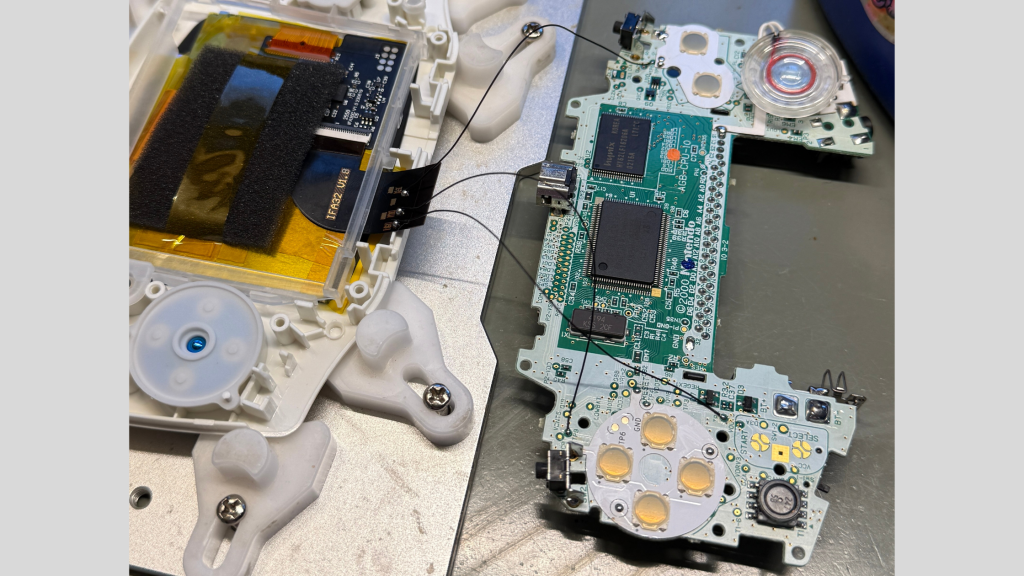
Instead of relying on a small adhesive sensor, the screen controls are permanently connected to the Game Boy’s buttons through soldered connections.
This allows the display settings to be accessed using button combinations built into the console itself.
That means:
• no adhesive sensors to fail
• no accidental triggers
• no sensors shifting around inside the shell
• permanent, reliable menu access
From a reliability standpoint, it’s simply a better installation.
What Experience Has Taught Me
When you’ve worked on over 2,000 Game Boys, certain patterns start to become very clear.
You see which installation choices hold up well over time.
And you see which shortcuts eventually create problems.
Hardwiring screen controls takes a little more time and a little more skill.
But when reliability matters, it’s the approach that consistently holds up better.
A Question You Should Be Asking
If you’re shopping for a modded Game Boy Advance, here’s a simple question worth asking the seller:
“Are the screen controls hardwired, or are they using touch sensors?”
Most listings never mention it.
But it can tell you a lot about how the console was built.
Small installation details often reveal the difference between a quick mod and a carefully built handheld designed to last.
You should also read up on my IPS Screen Guide, explaining the difference between a laminated, and non-laminated display.
Why This Matters to Me as a Builder
When I build a Game Boy, my goal is simple: I want it to work reliably for the person who receives it.
Repairs and returns are always my responsibility — and while they happen occasionally with electronics, they’re not something any builder wants.
So my focus has always been on one question:
How can I build this console so it works reliably for years?
After thousands of builds, hardwiring screen controls has proven to be one of those small decisions that helps prevent unnecessary issues later.
FAQ Section
Does hardwiring affect how the Game Boy Advance looks?
No.
Hardwiring is an internal modification that does not change the external appearance of the console.
The controls are accessed through button combinations rather than tapping the shell.
Is hardwiring necessary for every Game Boy Advance screen mod?
Not strictly necessary, but it can improve long-term reliability.
After installing IPS screens in more than 2,000 Game Boy consoles, I’ve found that hardwired controls tend to be more dependable over time than adhesive touch sensors in a portable device.
It’s a small installation detail that can make a meaningful difference in long-term usability.
Can a Game Boy Advance IPS screen be hardwired later?
Yes.
If a console currently relies on touch sensors, it is usually possible to open the system and hardwire the screen controls afterward.
However, this requires opening the console and performing additional soldering, which is why many builders prefer to hardwire the controls during the initial installation.
How can I tell if a modded Game Boy Advance uses hardwired screen controls?
Best way? Just ask the person you got the GBA from! 🙂
What problems can touch sensors cause in a modded Game Boy Advance?
Common issues include:
• brightness changing unexpectedly
• color palettes switching during gameplay
• screen menus activating unintentionally
• difficulty accessing screen controls
If the sensor becomes dislodged inside the console, you may lose access to the screen menu entirely until the Game Boy is opened and repaired.
Final Word: Should You Hardwire a Game Boy Advance IPS Screen?
Hardwiring a Game Boy Advance IPS screen simply creates a more dependable setup. Instead of relying on small adhesive touch sensors inside the shell, the screen controls are permanently connected to the Game Boy’s buttons through soldered connections.
That means no sensors shifting out of place, no accidental brightness changes, and no risk of losing access to your screen settings if a sensor comes loose.
After installing IPS screens in more than 2,000 Game Boy consoles, I’ve found that small installation choices like this can make a real difference over time.
Hardwiring takes a little more effort during the build, but it results in a cleaner, more reliable experience for a handheld device that’s meant to be used and carried around. For builders who care about long-term durability, it’s simply the better approach.
For more info on buying a Game Boy Advance in 2026, check out my blog here!
Get The Free GBA Build Guide